How to Make a Zig-Zag Collage

A zig-zag collage is a unique collage pattern that arranges pictures in a random grid where each element is not necessarily rectangular. Using TurboCollage, you can easily make such a photo collage.
You can also make a photo grid collage in TurboCollage.
Before we get started, download and install TurboCollage. It takes less than a minute to download and complete the installation.
Steps to Make a Zig-Zag Collage:
1. Open TurboCollage and set your collage to use the Zig-Zag collage pattern.
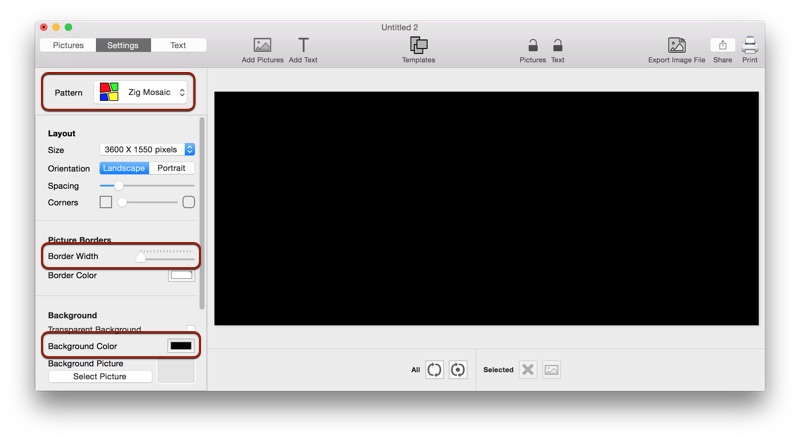
2. (Optional) In the above sample, we set the border width to zero and the background color to black.
3. Add pictures to your collage.
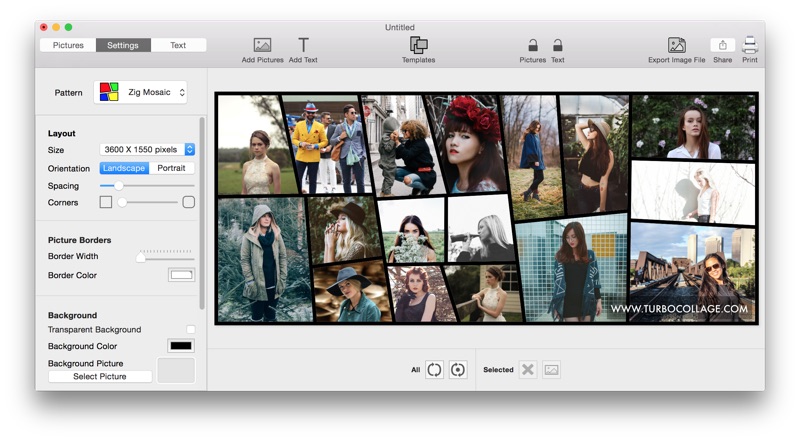
The above steps are illustrated in the following video:
Tweet This Collage Making Method